Shein Return Label: Printing Yours in Under 1 Minute for Quick Processing.
Advertisement
Printing your Shein return label efficiently dramatically speeds up the return process. This guide provides a step-by-step approach to generate and print your label in under 60 seconds. Understanding these instructions ensures a seamless and fast return experience.
Shein Return Label: Printing Yours in Under 1 Minute for Quick Processing.
Returning items can often be a cumbersome task, but with Shein, the process is designed for efficiency. Knowing how to quickly generate and print your return label is key.
This guide will walk you through the essential steps to ensure your Shein Return Label: Printing Yours in Under 1 Minute for Quick Processing. is handled swiftly.
We delve into the details, making sure you understand each part of the return journey, from initiation to final drop-off.
Understanding Shein’s Return Policy for Seamless Processing
Before you even think about printing a Shein return label, it’s crucial to grasp Shein’s return policy. This understanding forms the foundation of a smooth return experience, preventing potential delays or rejections.
Shein generally allows returns within 30 days of the purchase date for most items. However, certain categories, such as swimwear, lingerie, and bodysuits, are often non-returnable for hygiene reasons.
Advertisement
Always check the specific item’s return eligibility on the product page or in your order details. Items must be unworn, unwashed, undamaged, and have all original tags attached.
Key Aspects of Shein’s Return Policy
Understanding the nuances of Shein’s return policy helps streamline the entire process. This knowledge ensures you meet all requirements before initiating a return.
It also informs you about any potential costs associated with the return, such as shipping fees.
- Return Window: Most items can be returned within 30 days of the purchase date.
- Item Condition: Products must be returned in their original condition, unworn and unwashed.
- Non-Returnable Items: Certain categories like intimates, swimwear, and accessories are typically excluded.
The first return for any order is usually free, meaning Shein covers the return shipping cost. Subsequent returns from the same order may incur a shipping fee, which will be deducted from your refund.
This policy encourages customers to consolidate their returns rather than sending multiple packages for a single order. Being aware of these details is vital for efficient handling of your Shein Return Label: Printing Yours in Under 1 Minute for Quick Processing..
Initiating Your Return Request on Shein’s Platform
The first step in getting your Shein return label is to initiate a return request through your Shein account. This process is straightforward and can be completed quickly, setting the stage for printing your label.
Log in to your Shein account and navigate to ‘My Orders’. Locate the order containing the item(s) you wish to return and click on ‘View Details’.
From there, select ‘Return Item’ and follow the prompts to choose the items you want to send back.
Step-by-Step Guide to Requesting a Return
Successfully initiating your return request is a critical step towards obtaining your Shein return label. This section breaks down the process into manageable actions.
Accuracy in this stage ensures that the correct return label is generated for your specific items.
Select the reason for your return from the provided options, such as ‘Too big’ or ‘Not as described’. You might be asked to upload photos or provide additional comments, especially for defective or incorrect items.
Once you’ve submitted your request, Shein will review it. In most cases, if the items are eligible, your return request will be approved almost instantly, allowing you to proceed to the next step: generating your Shein return label.
Advertisement
Generating Your Shein Return Label: The Quick Method
Once your return request is approved, generating your Shein Return Label: Printing Yours in Under 1 Minute for Quick Processing. is the next immediate action. Shein offers a very user-friendly interface for this.
After approval, you’ll typically see an option to ‘Download Return Label’ or ‘Print Label’ directly on your order details page. Click this option to proceed.
The label will usually be provided in a PDF format, which is universally compatible with most printers. This quick generation process is designed to minimize any waiting time.
Choosing Your Preferred Return Method
Shein often provides various return methods, influencing the type of label you receive. Selecting the right method is crucial for efficiently obtaining your Shein return label.
Common options include dropping off at a designated carrier location or scheduling a pickup. The chosen method will dictate the specifics of your label.
For example, if you choose a carrier drop-off, the label will include the address and barcode for that specific carrier. It’s important to ensure your selection aligns with your convenience and the services available in your area.
This choice directly impacts how you will use your Shein Return Label: Printing Yours in Under 1 Minute for Quick Processing. once printed. Always confirm the return method before downloading the label.
The digital label is almost always ready for download immediately after you confirm your return method. This instant access is what makes the process so fast.
It’s important to note that the return label is pre-paid and addressed, simplifying the shipping process significantly.
You won’t need to purchase postage separately or fill out any complex shipping forms. This streamlined approach saves valuable time and effort, making the Shein Return Label: Printing Yours in Under 1 Minute for Quick Processing. truly efficient.
Printing Your Shein Return Label in Under 1 Minute
With the PDF label generated, printing your Shein Return Label: Printing Yours in Under 1 Minute for Quick Processing. is the final step before packaging. This part of the process is designed to be as swift as possible.
Open the downloaded PDF file on your computer. Ensure your printer is connected, turned on, and has sufficient ink and paper.
Use the print function in your PDF viewer, typically found under ‘File’ then ‘Print’, or by pressing Ctrl+P (Windows) or Command+P (Mac).
Review the print preview to ensure the label fits correctly on a standard letter-sized paper without cutting off any crucial information. Adjust scaling if necessary, though usually, the default settings work perfectly.
Optimizing Printer Settings for Clear Labels
Ensuring your Shein return label is printed clearly is vital for successful scanning by the carrier. Proper printer settings can make all the difference.
A smudged or unclear barcode could lead to delays or even rejection of your return package.
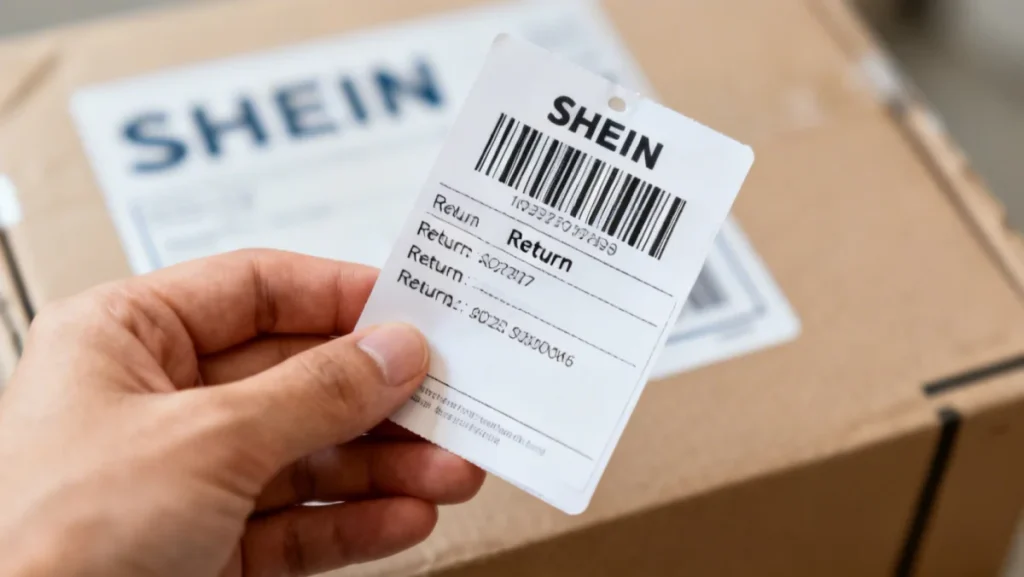
Always select ‘Actual size’ or ‘Fit to page’ to avoid resizing issues. Use high-quality print settings if available, especially if the barcode appears faint in the preview.
Once printed, double-check that the barcode is sharp and scannable. This quick check takes mere seconds but can prevent significant headaches down the line, solidifying the ease of Shein Return Label: Printing Yours in Under 1 Minute for Quick Processing..
If you don’t have a printer at home, many public libraries, office supply stores like FedEx Office or UPS Store, or even some hotel business centers offer printing services.
You can save the PDF to a USB drive or email it to yourself for printing elsewhere. This flexibility ensures that printing your Shein return label is never a bottleneck in your return process.
The goal is to have a physical label ready to attach to your package as quickly as possible. Every step is streamlined for your convenience, ensuring that your Shein Return Label: Printing Yours in Under 1 Minute for Quick Processing. is a hassle-free experience.
Packaging Your Return and Dropping It Off
Once your Shein Return Label: Printing Yours in Under 1 Minute for Quick Processing. is printed, the next step involves properly packaging your items and getting them to the carrier. Correct packaging protects your items during transit.
Place the item(s) back into their original packaging if possible, or use a sturdy, appropriate-sized box or poly mailer. Ensure all original tags are still attached.
Securely seal the package with packing tape. Affix the printed Shein return label clearly on the outside of the package, making sure it’s fully visible and not obstructed by tape or other labels.
Ensuring Safe Transit for Your Returned Items
Proper packaging is not just about aesthetics; it’s about protecting your returned items. A damaged item during transit could jeopardize your refund.
Use appropriate cushioning materials if necessary, especially for delicate items. This small effort can save you from potential disputes.
Once your package is ready, drop it off at the designated carrier location specified on your Shein return label. Remember to obtain a receipt or tracking number for your records.
This tracking information is crucial for monitoring the return’s progress and confirming its delivery back to Shein. It provides peace of mind and proof of shipment, completing the cycle of your Shein Return Label: Printing Yours in Under 1 Minute for Quick Processing..
For more detailed information on Shein’s return policy, you can always refer to their official help center: Shein Returns Policy. This resource provides comprehensive answers to frequently asked questions.
Tracking Your Shein Return for Refund Confirmation
After dropping off your package with its Shein Return Label: Printing Yours in Under 1 Minute for Quick Processing., tracking its journey is the next logical step. This ensures you know when to expect your refund.
Use the tracking number provided by the carrier to monitor the package’s progress. Most carriers offer online tracking services where you can enter your number for real-time updates.
Once Shein receives your return, they will inspect the items. This inspection typically takes a few business days. If everything is in order, your refund will be processed.
Understanding Refund Timelines and Notifications
Knowing what to expect regarding refund timelines helps manage your expectations. Shein aims for efficient processing, but external factors can sometimes cause slight delays.
Shein usually processes refunds within 7-10 business days after receiving the returned package. The refund will be issued to your original payment method.
You will receive an email notification once your refund has been processed. Keep an eye on your bank or credit card statement for the refund to appear, as processing times can vary by financial institution.
If you don’t receive your refund within the expected timeframe, you can contact Shein customer service with your tracking number and order details. This proactive approach ensures your Shein Return Label: Printing Yours in Under 1 Minute for Quick Processing. effort culminates in a successful refund.
What This Means
The streamlined process for generating and printing your Shein return label signifies a commitment to customer convenience in the fast-paced world of online retail. This efficiency impacts consumer confidence and brand loyalty.
As e-commerce continues to evolve, quick and hassle-free returns become a critical differentiator. Shein’s approach to the return label process sets a benchmark for industry standards, directly influencing user experience.
Understanding these steps empowers consumers, reducing friction in post-purchase interactions. The ability to manage your Shein Return Label: Printing Yours in Under 1 Minute for Quick Processing. with ease is a testament to current technological advancements in retail.
This focus on user experience will likely drive further innovations in logistics and customer service across the low fashion market.